安装到 GitHub Copilot
Ice Motion Director 把 GitHub Copilot 变成一间动态设计与视频剪辑工作室:用一句提示词描述短片,智能体就会从简报一路做到渲染好的 MP4,每一帧都以代码写成。

命令
Copilot CLI
copilot plugin marketplace add Omar-Tnzxo/ice-motion-director copilot plugin install ice-motion-director@ice-motion-director VS Code
打开命令面板,选择 Chat: Install Plugin From Source,粘贴
https://github.com/Omar-Tnzxo/ice-motion-director。
一次装到所有智能体:npx skills add Omar-Tnzxo/ice-motion-director -g --all 会把每个 Ice 技能装进它找到的每个智能体,全程不提问。不带参数的 npx skills add Omar-Tnzxo/ice-motion-director 会询问装到哪些智能体,以及装在当前项目还是所有项目。
更新与使用
更新
copilot plugin update ice-motion-director一次运行一个阶段
输入 /ice-01-brief。 阶段从 /ice-01-brief 到 /ice-10-deliver;/ice-status 显示当前进度,/ice 会自动运行或继续全部流程。
你的电脑需要什么
智能体会针对你选的路线检查这些条件,并告诉你缺什么,同时给出适合你系统的那一条命令。路线所需的免费软件包和模型(转写、音轨分离等)它会自行安装,版本固定,并写进交付说明;任何付费的或需要账号的,会先问你。 创意和脚本什么都不需要。Lottie 需要 Node。每支要交付的短片(短片、讲解视频、翻拍和剪辑)都需要 Node、FFmpeg、浏览器,以及装有质量检查依赖包的 Python 3:没有 Python,短片可以构建但无法交付,因为丰富度检查跑不了。
| 需要 | Windows | macOS | Ubuntu 或 Debian | Fedora | Arch |
|---|---|---|---|---|---|
| Node.js (LTS) | Windowswinget install --id OpenJS.NodeJS.LTS -e | macOSbrew install node@24 | Ubuntu 或 Debiannvm, then nvm install --lts | Fedorasudo dnf install nodejs | Archsudo pacman -S nodejs npm |
| FFmpeg | Windowswinget install --id Gyan.FFmpeg -e | macOSbrew install ffmpeg | Ubuntu 或 Debiansudo apt install ffmpeg | Fedorasudo dnf install ffmpeg-free | Archsudo pacman -S ffmpeg |
| Chrome 或 Chromium | Windowswinget install --id Google.Chrome -e | macOSbrew install --cask google-chrome | Ubuntu 或 DebianChrome .deb or sudo snap install chromium | Fedorasudo dnf install chromium | Archsudo pacman -S chromium |
| Python 3 | Windowswinget install --id Python.Python.3.13 -e | macOSbrew install python | Ubuntu 或 Debiansudo apt install python3 python3-venv | Fedorasudo dnf install python3 | Archsudo pacman -S python |
Windows 说明
- 每条命令在 PowerShell 和 cmd 中用法相同。
- 如果 PowerShell 提示禁止运行脚本,请改用
npx.cmd skills add,或用Set-ExecutionPolicy -Scope CurrentUser RemoteSigned为当前用户一次性允许脚本。 --all在 PowerShell 和 cmd 中用法相同(在 cmd 中--skill '*'无效,要写成--skill "*")。- 在 WSL 中,只有当智能体也在 WSL 里运行时,才在 WSL 内安装。
然后试一试
其他智能体
- Claude CodeAnthropic 的编程智能体,支持终端、桌面应用和 IDE
- Claude.ai and Claude Desktop浏览器和桌面应用中的 Claude
- CodexOpenAI 的编程智能体,有 CLI 和应用
- CursorAI 代码编辑器
- Gemini CLIGoogle 的终端编程智能体
- AntigravityGoogle 的智能体,有 CLI、应用和 IDE
- Qwen CodeQwen 的终端编程智能体
- Cline开源的 VS Code 编程智能体
- Kiro智能体式 IDE 和 CLI
- OpenCode开源的终端编程智能体
- WindsurfAI 代码编辑器
- Roo CodeVS Code 编程智能体
- Kilo CodeVS Code 编程智能体
- Amp编程智能体
- Goose开源编程智能体
- TraeAI IDE
- Zed带智能体面板的代码编辑器
- Warp智能体式终端
- Augment编程智能体
用 Ice 制作
这些画面来自一支由一句提示词做成的真实短片,整个工作流已按阶段逐一公开。

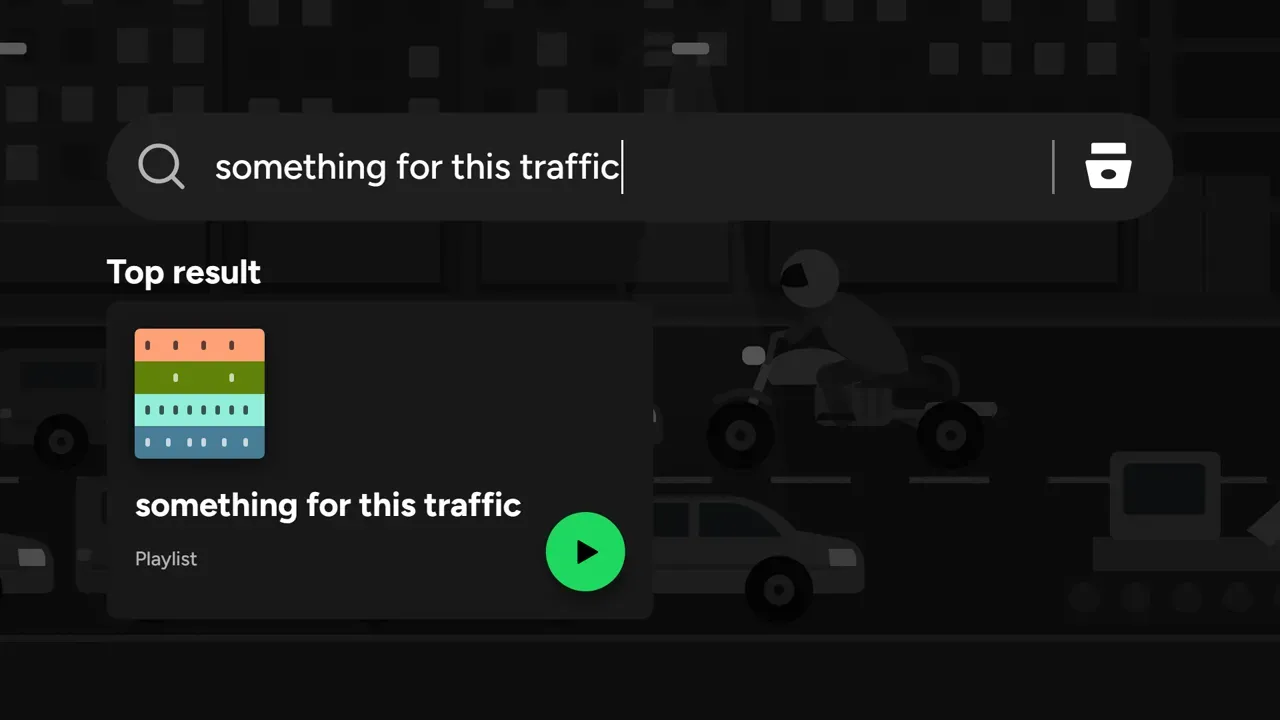

看看是怎么做的非官方概念作品,与 Spotify 无关。
给你的智能体配一位导演
粘贴一行命令,然后用自然语言要一支短片。Ice 从简报一路做到交付,在你想看的每一步向你展示进度。
npx skills add Omar-Tnzxo/ice-motion-director -g --all