在 Trae 安裝
Ice Motion Director 讓 Trae 變成動態設計與影片剪輯工作室:用一句提示詞描述影片,你的代理就會從創意簡報一路做到算繪好的 MP4,每一格畫面都以程式碼寫成。

指令
安裝到 Trae
使用通用安裝程式,代理 id 為
trae。請保留全部技能:技能之間會互相呼叫,只挑一部分會讓流程中斷。npx skills add Omar-Tnzxo/ice-motion-director -a trae
一次裝進所有代理:npx skills add Omar-Tnzxo/ice-motion-director -g --all 會把每個 Ice 技能裝進它找得到的每個代理,過程不會發問。單純的 npx skills add Omar-Tnzxo/ice-motion-director 則會問你要裝哪些代理,以及只裝在這個專案還是每個專案。
更新與使用
更新
npx skills update一次跑一個階段
輸入 如果代理有自訂指令,輸入 /ice-01-brief;沒有自訂指令的代理直接用白話,例如「執行階段 3」或「顯示目前狀態」。階段從 /ice-01-brief 跑到 /ice-10-deliver;/ice-status 會顯示目前進度,/ice 則會自動執行或接續整個流程。
你的電腦需要什麼
代理會依你選的路線檢查這些項目,並告訴你缺什麼,附上適合你系統的那一行指令。路線需要的免費套件和模型(轉錄、音軌分離等)由它自己以固定版本安裝,並在交付說明中列出;任何要付費或要註冊帳號的東西,會先問你。 點子和腳本什麼都不需要。Lottie 需要 Node。每支要交付的影片(影片、解說、仿作和剪輯)都需要 Node、FFmpeg、瀏覽器,以及裝好品質檢查套件的 Python 3:沒有 Python,影片做得出來但無法交付,因為豐富度檢查跑不了。
| 需求 | Windows | macOS | Ubuntu 或 Debian | Fedora | Arch |
|---|---|---|---|---|---|
| Node.js(LTS) | Windowswinget install --id OpenJS.NodeJS.LTS -e | macOSbrew install node@24 | Ubuntu 或 Debiannvm, then nvm install --lts | Fedorasudo dnf install nodejs | Archsudo pacman -S nodejs npm |
| FFmpeg | Windowswinget install --id Gyan.FFmpeg -e | macOSbrew install ffmpeg | Ubuntu 或 Debiansudo apt install ffmpeg | Fedorasudo dnf install ffmpeg-free | Archsudo pacman -S ffmpeg |
| Chrome 或 Chromium | Windowswinget install --id Google.Chrome -e | macOSbrew install --cask google-chrome | Ubuntu 或 DebianChrome .deb or sudo snap install chromium | Fedorasudo dnf install chromium | Archsudo pacman -S chromium |
| Python 3 | Windowswinget install --id Python.Python.3.13 -e | macOSbrew install python | Ubuntu 或 Debiansudo apt install python3 python3-venv | Fedorasudo dnf install python3 | Archsudo pacman -S python |
Windows 注意事項
- 每個指令在 PowerShell 和 cmd 中用法都一樣。
- 如果 PowerShell 說已停用指令碼執行,請改用
npx.cmd skills add,或用Set-ExecutionPolicy -Scope CurrentUser RemoteSigned為你的使用者帳戶開放一次。 --all在 PowerShell 和 cmd 中用法相同(在 cmd 中--skill '*'無效,要寫成--skill "*")。- 在 WSL 中,只有當你的代理也在 WSL 裡執行時,才在 WSL 內安裝。
接著試試看
其他代理
- Claude CodeAnthropic 的程式開發代理,可在終端機、桌面版和 IDE 使用
- Claude.ai and Claude Desktop瀏覽器和桌面應用程式中的 Claude
- CodexOpenAI 的程式開發代理,有 CLI 和應用程式
- CursorAI 程式碼編輯器
- Gemini CLIGoogle 在終端機中的程式開發代理
- AntigravityGoogle 的代理工具,有 CLI、應用程式和 IDE
- GitHub CopilotGitHub 的程式開發代理,有 CLI 和 VS Code 版
- Qwen CodeQwen 在終端機中的程式開發代理
- ClineVS Code 上的開源程式開發代理
- Kiro代理式 IDE 與 CLI
- OpenCode終端機中的開源程式開發代理
- WindsurfAI 程式碼編輯器
- Roo CodeVS Code 上的程式開發代理
- Kilo CodeVS Code 上的程式開發代理
- Amp程式開發代理
- Goose開源程式開發代理
- Zed內建代理面板的程式碼編輯器
- Warp代理式終端機
- Augment程式開發代理
用 Ice 做的
這些畫面來自一支只用一句提示詞做出的真實影片,完整工作流程已逐階段公開。

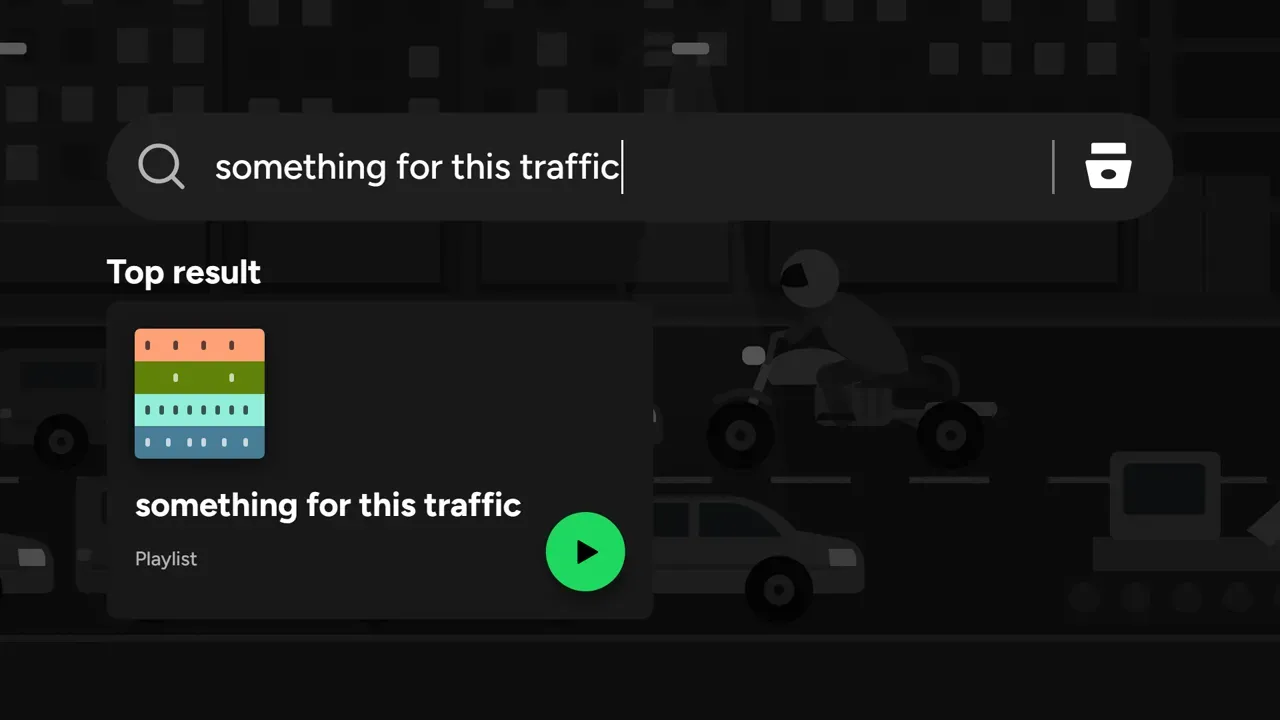

看看怎麼做的非官方概念作品,與 Spotify 無關。
給你的代理一位導演
貼上一行指令,再用白話要一支影片。Ice 會從創意簡報一路做到交付,在你想看的每一步都讓你看到它的成果。
npx skills add Omar-Tnzxo/ice-motion-director -g --all